summary
Help page for ETL Configuration of Data Setting from Rtoaster insight+.
Prerequisite.
Rtoaster insight+ manages data with Google BigQuery, which is built on the Tokyo region (asia-northeast1) of the Google Cloud Platform (hereinafter referred to as GCP).
BigQuery for Rtoaster insight+ uses only the following GCP projects.
| Project Name | role |
|---|---|
| rtoaster-insight | It will be linked when you link your Google account. |
| rtoaster-data | The Rtoaster table on the Rtoaster insight+ screen contains the corresponding data. |
| bp-pica-prd | The user-defined table on the Rtoaster insight+ screen contains the corresponding data. |
Setting items
STEP1 Basic settings
| item name | indispensable | default value | Contents |
|---|---|---|---|
| Rtoaster insight+ Google Account Connection Configuration | Yes | Select the previously registered Connection Configuration that has the necessary permissions for this ETL Configuration. Click here to learn how to set up Connection Configuration . |
|
| Data export destination Google Cloud Storage URI | Yes | Data Source Rtoaster insight+ with Google Account integration requires a temporary export of data to a GCS bucket created on your end. Therefore, please specify the customer's GCS bucket path for the linked Google account. |
|
| SQL | Yes | Legacy SQL is not available. Please check the GCP project name, dataset name, and table name below for available tables, etc. |
|
| Temporary data file format | Yes | CSV | Please specify the file format of the data to be temporarily stored in GCS. |
| Temporary Data Deletion Policy | Yes | Delete | Please specify whether you wish to delete temporary data stored in the GCS. Since temporary data is created with each data transfer, we recommend that you specify to delete it. |
How to check GCP project name, dataset name, and table name
- Please check the GCP project by transitioning to the BigQuery console here.
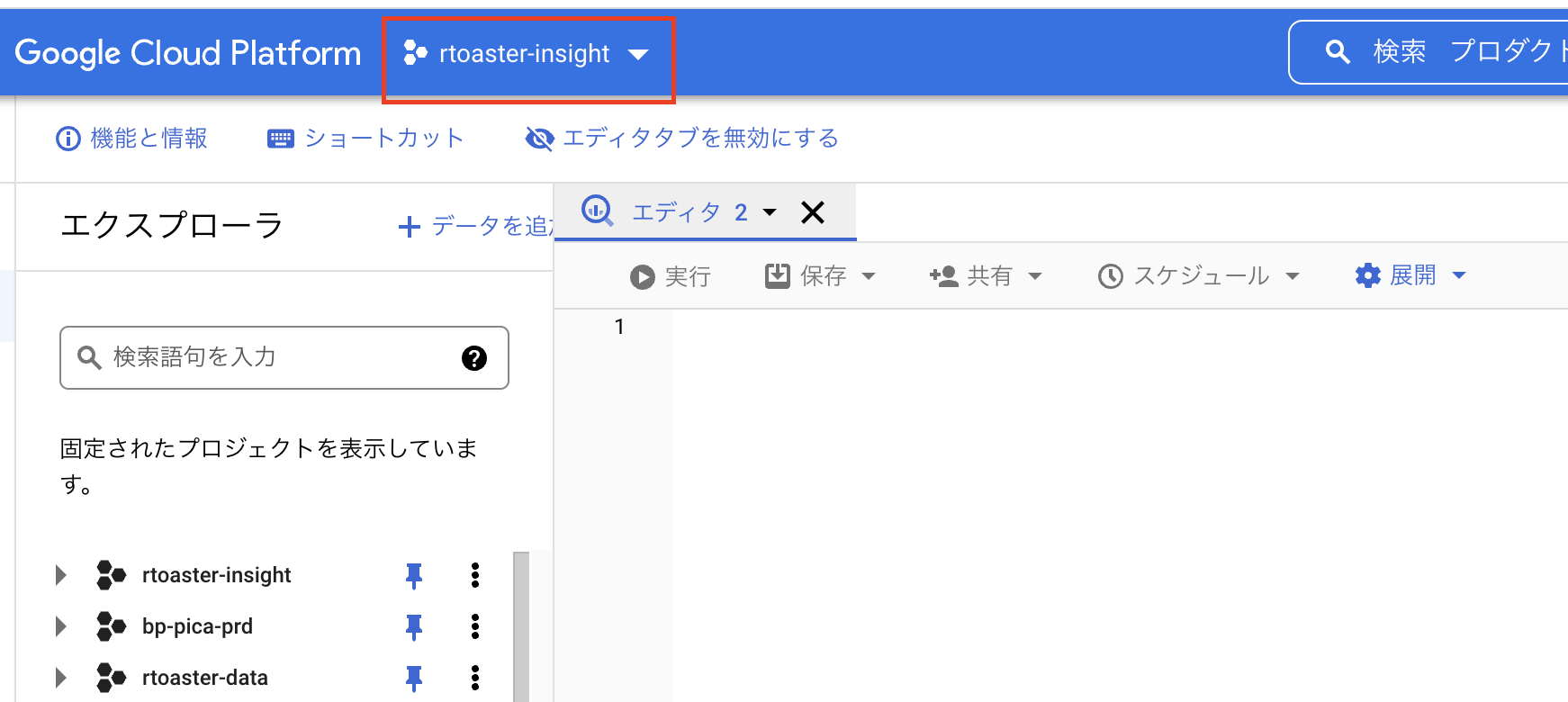 "" width=""}
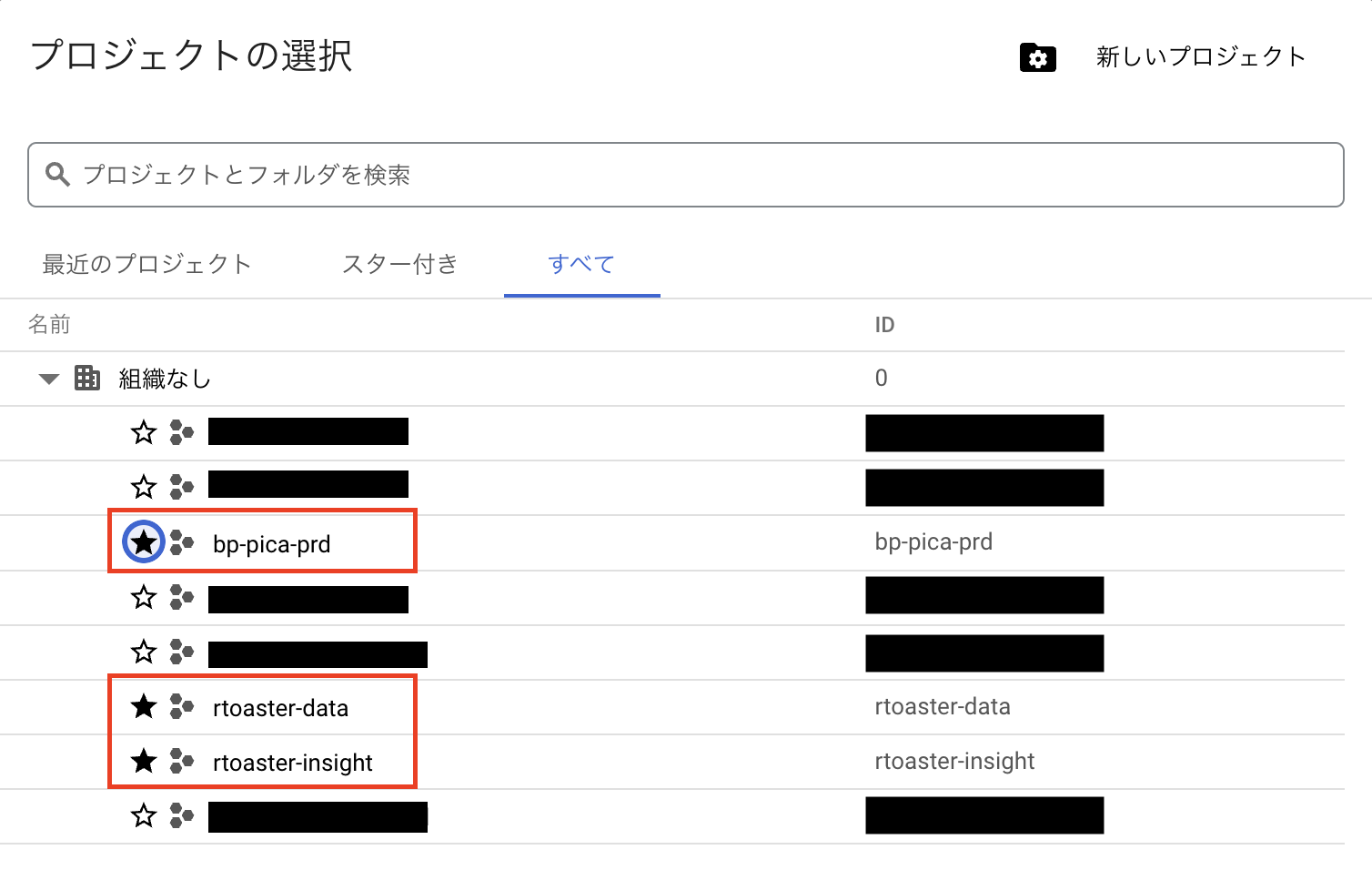 "" width=""}
The GCP project that contains the Rtoaster insight+ data is the rtoaster-data project or the bp-pica-prd project, so please specify which one.
The permission to execute data in Rtoaster insight+ is granted to the rtoaster-insight project, so if you want to execute SQL, please do so with the rtoaster-insight project specified.
- Please check the data set and table names as follows
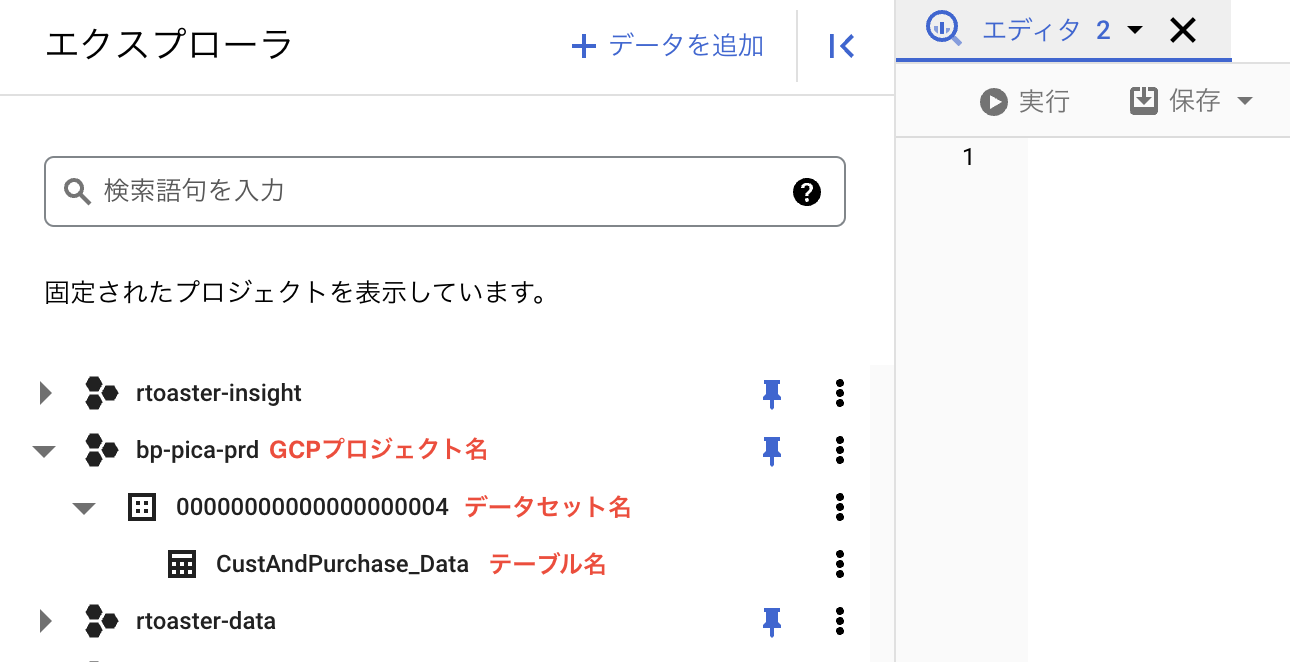 "" width=""}
The hierarchy is as follows: GCP project name → dataset name → table name.
supplement
precautions
- The cost of the running jobs is included in the cost of Rtoaster insight+.