summary
This is the help page for setting up Connection Configuration for Apple Ads.
If you are using Data Source - Apple Search Ads, create a new Apple Ads Connection Configuration.
The values you enter are the same as those of the Apple Search Ads Connection Configuration.
Invite Users
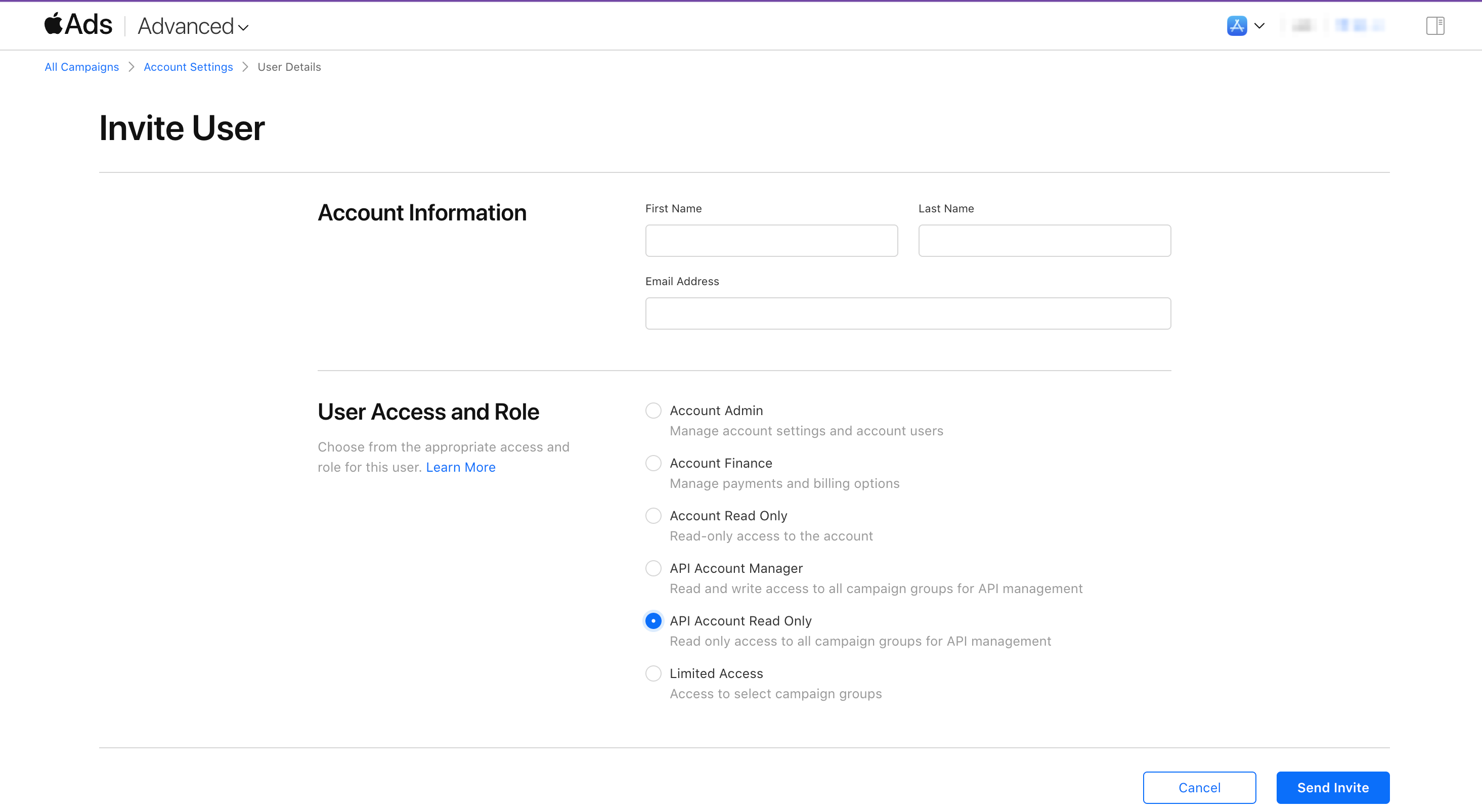
- Log in to the administration screen with Account Admin privileges and invite users with API execution privileges from https://app.searchads.apple.com/cm/app/settings/users/invite.
SelectAPI Account Read Onlyfor the user's Role.
- Log in as the invited user and configure the following settings.
Obtain clientId, teamId, keyId, and Private Key
- Execute the following command to generate private-key.pem.
$ openssl ecparam -genkey -name prime256v1 -noout -out private-key.pem
- Execute the following command to generate public-key.pem.
$ openssl ec -in private-key.pem -pubout -out public-key.pem
-
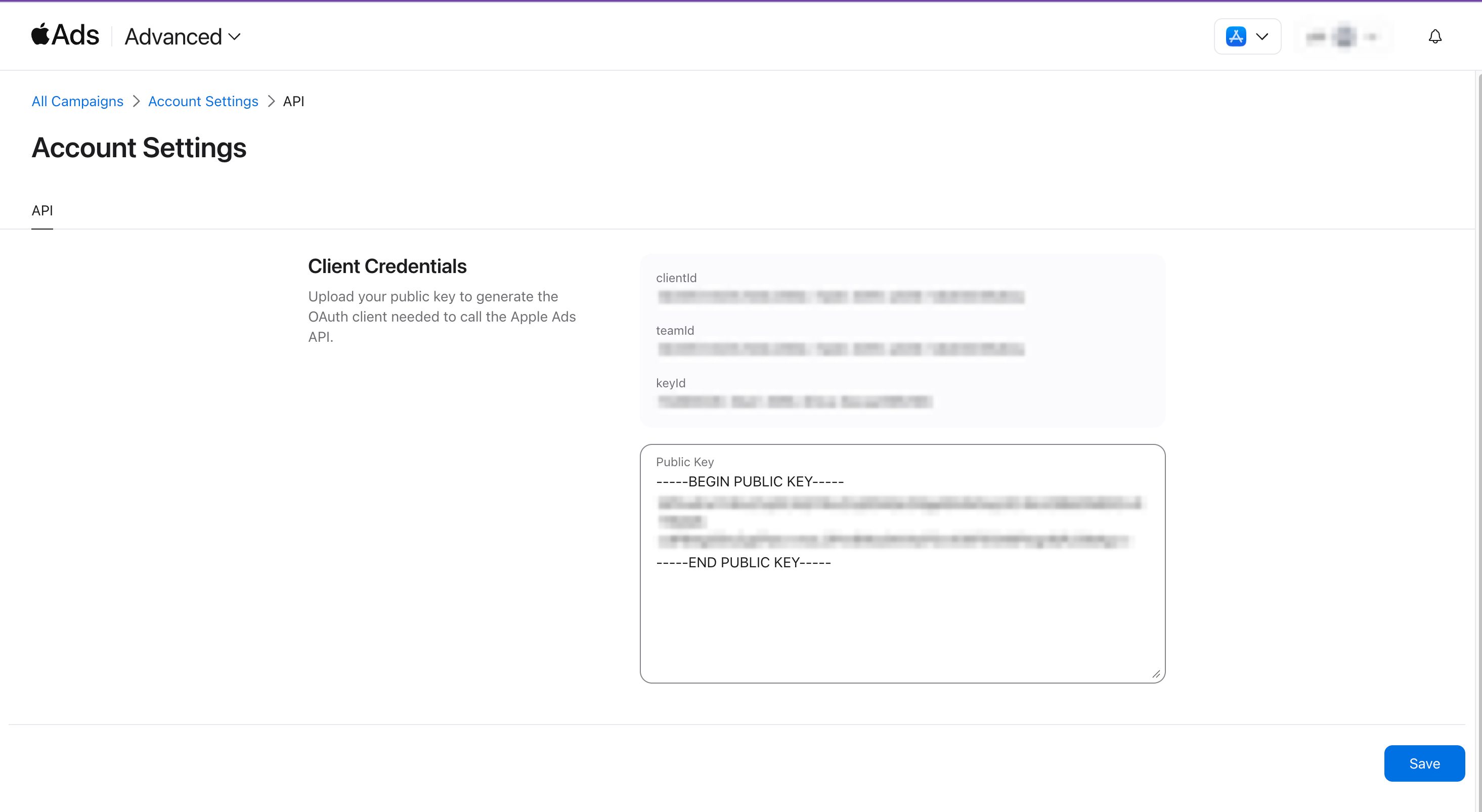
Enter the contents of public-key.pem and click save.
-
Enter the clientId, teamId, and keyId displayed on the screen into the Connection Configuration fields of the same names.
-
Enter the contents of
private-key.peminto Private Key.