We will provide you with information about the release in Sept. 2024.
Notice
Restrictions on job execution for transfer settings that are not available on the contracted plan
The connectors available at TROCCO vary depending on the plan you are subscribed to. In the future, you will no longer be able to create forwarding configurations that combine connectors that are not available to your plan. Also, if a transfer configuration has already been created, the job for that transfer configuration can no longer be executed. Please refer to Connector Type for details on the limitations added this time.
Workflow Definition
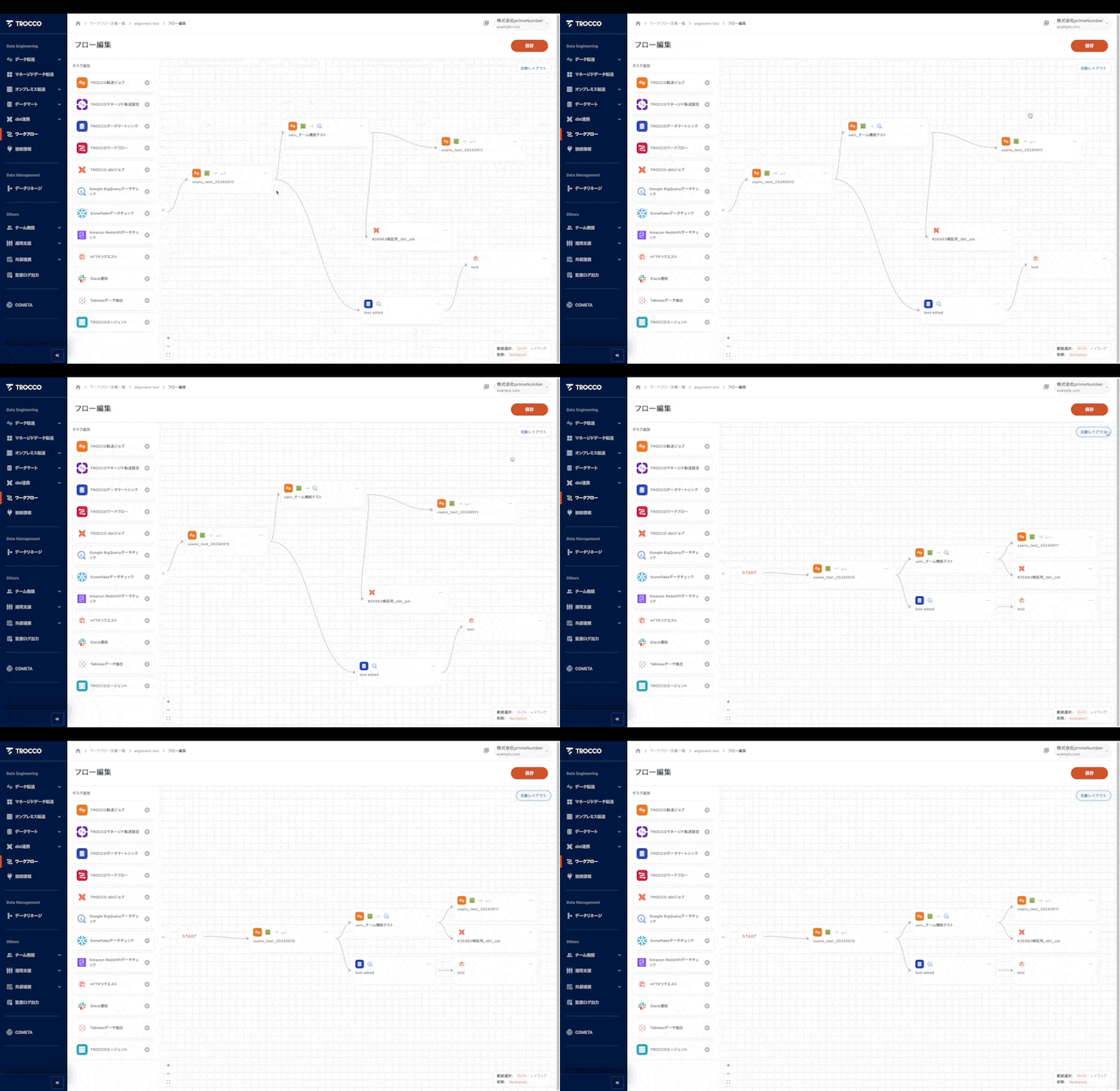
Enables automatic task layout when editing flow
Workflow tasks are now automatically aligned when Auto Layout is clicked during flow editing.
TROCCO API
TROCCO API to run data mart jobs
TROCCO API can now specify any data mart definition and run jobs. See Data Mart Sync Job Execution for details.
Transfer Settings
Parquet support for input file format
Parquet transfer is now supported at the following source connectors.
For more information, see About input file format settings.
connection information
Custom parameters can be set in HTTP and HTTPS connection information
Custom parameters can now be added when creating HTTP and HTTPS connection information. This allows specific parameters to be included in the request according to the specifications of the API to which you are connecting. For details, please refer to the HTTP and HTTPS connection information.
Project ID can be specified in service account authentication for Google BigQuery and Google Cloud Storage connection information.
Regarding service account authentication for Google BigQuery and Google Cloud Storage connection information, the specification has been that the project that created the service account is specified. With this change, you can now select a project ID from the list of projects for which the service account has privileges.
UI・UX
Add indentation with tab key in markdown editor
Memo fields for transfer settings, data mart definitions, etc. are compatible with markdown notation. For these markdown notation-compatible sections, you can now add indentation with the tab key and remove indentation with shift+tab.
**The contents of this release are described above. ** **Please feel free to contact our Customer Success Representative if you have a release you are interested in. ** Happy Data Engineering!